
Computing | Emacs on Vikix & StumpWM | My Emacs Config Tour | Common Lisp | The Linux Process Manager | i3
Here is the truth about the computer I use every day: I built the desktop myself, and you can install it too. It is called Vikix. It lives at vikix.dev, and every line of it is public at github.com/vukini/vikix.
Visit vikix.dev → · Read the code on GitHub →
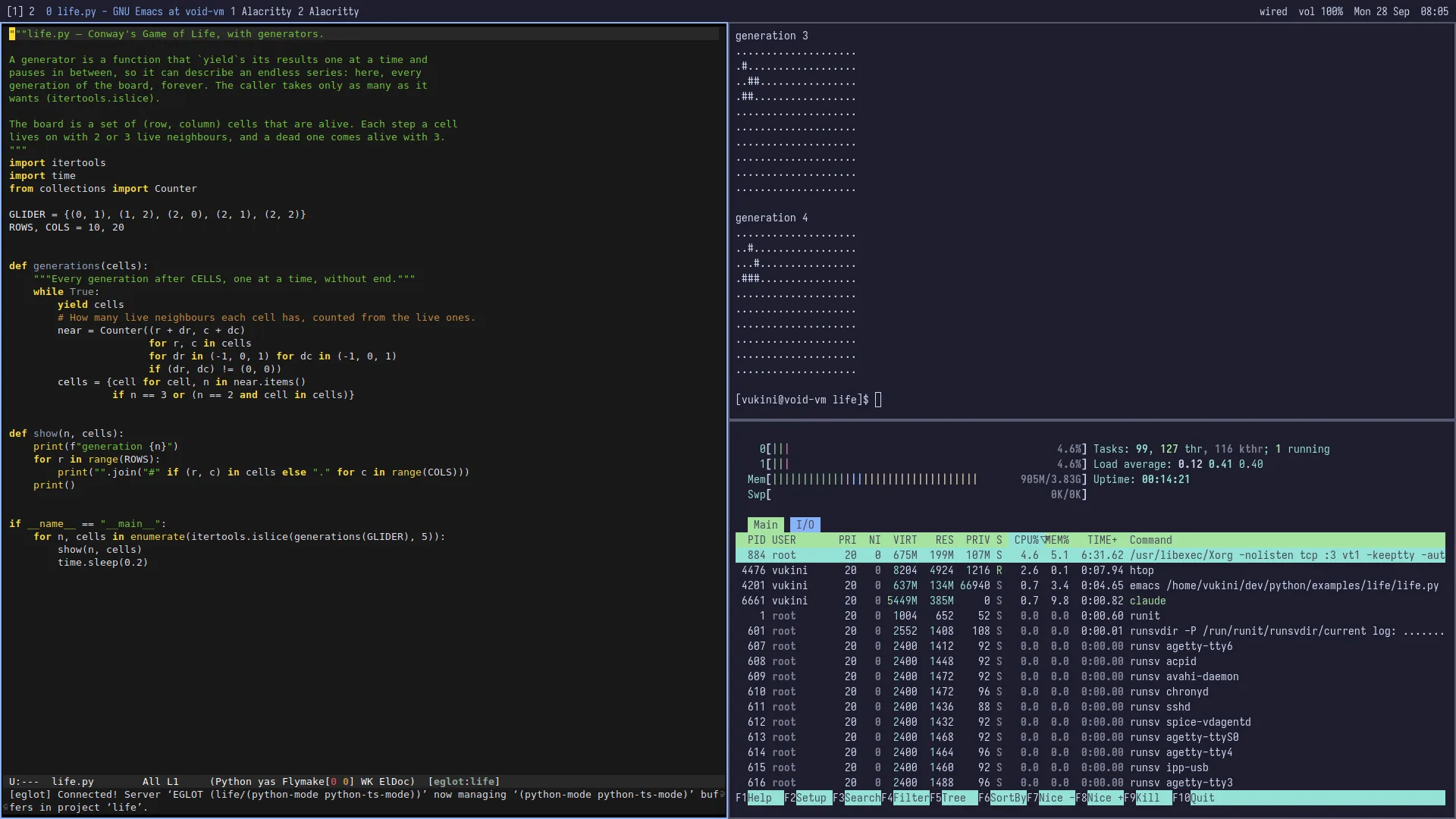
What Vikix is, in plain words
Vikix is an opinionated desktop layer for Void Linux, built around StumpWM. Think of it as Void, supercharged. It is not a new distribution. It is a script you run on top of an ordinary Void install, and what you get is:
- a keyboard-driven StumpWM desktop,
- a small set of programs that work together,
- one command,
vikix update, that keeps it all current.
Underneath stays plain Void: xbps for packages, runit for services, no systemd. Vikix adds a desktop, a set of programs, their config, and the vikix command. It doesn’t replace anything of Void’s.
On the site I describe it as the solopreneur’s workshop: a living workspace that brings your projects, tools and AI workers together. The tagline is “Build independently. Reach further.”
Why I built it
I wanted three things that no desktop gave me at once.
More hands. Writing code is only part of building something. There’s research, testing, documentation, decisions, and remembering where you left off. In Vikix, AI workers take separate tasks while I work on mine, and something called the Office shows me who is working, what needs my attention and what is ready to review. Each piece of development work gets its own copy of the project; I decide what is good enough to bring back.
A computer I can question. I like machines I can take apart (that’s half of this computing section). Vikix can inspect its own state and point at the docs behind it: why did that happen, what am I looking at, how could I change it? When a window moves, you can find out what moved it. Every vikix command gets a man page generated from the command itself, and the guides are built into an Info manual on your own machine.
Independence. I choose the agent, the model and where it runs: a local model on my own hardware, a provider such as Claude Code or OpenAI’s Codex, or a model hosted on my own server. Vikix doesn’t tie you to one AI company.
The philosophy
A few rules run through the whole project:
- The install is the base; the rest you add. The base is a whole desktop: StumpWM, the bar, a terminal, Firefox and a file manager, sound, Wi-Fi and Bluetooth, the laptop’s hardware, screenshots, themes, backups, and the AI agent on
Super+a. Everything else is a feature. - Every config file is either Vikix’s or yours. Vikix’s files are symlinks into
~/vikix, andvikix updatereplaces them. Yours are copies made once and never touched again. ~/.stumpwm.d/user.lispis where the desktop is yours. It loads last, so anything in it wins over Vikix’s defaults.- Your files have an undo.
vikix snapshotbefore a change,vikix changesafter it,vikix undoto take it back. - Re-running is safe. Every install stage checks before it changes anything.
What’s in it
StumpWM, compiled properly. StumpWM is a tiling window manager written in Common Lisp. The install pins a Quicklisp release, and builds ~/.local/bin/stumpwm with Swank and clx-truetype inside (TrueType fonts for the bar). The new image must start before it replaces the old one, which stays as stumpwm.prev. Because Swank is inside, Emacs can talk to the running window manager: that meeting point has its own page, Emacs on Vikix & StumpWM.
Void and runit. The install enables the runit services it needs, switches networking over to NetworkManager, turns the firewall on, sets up PipeWire and WirePlumber for sound, and times Void’s mirrors so it downloads from the fastest. It even configures earlyoom, so you decide which program goes when memory runs out.
Emacs (and Neovim). The emacs feature clones my config, vukini/emacs-void, to ~/.emacs.d (toured in My Emacs Config Tour); with it, SLIME reaches the running window manager. There’s a neovim feature too, if that’s your editor.
Languages with examples. Features exist for C, Python, more Lisps (Clozure CL, Racket, Chez Scheme, Guile, PicoLisp; SBCL is always there), Haskell, Go, Rust, Zig, Forth, Ruby, Lua, SQL, WebAssembly, JavaScript, Java, OCaml, Julia and more. ~/dev gets a folder per language, with examples you run with make run, and offline docs.
The everyday keys. These four are straight from the gallery:
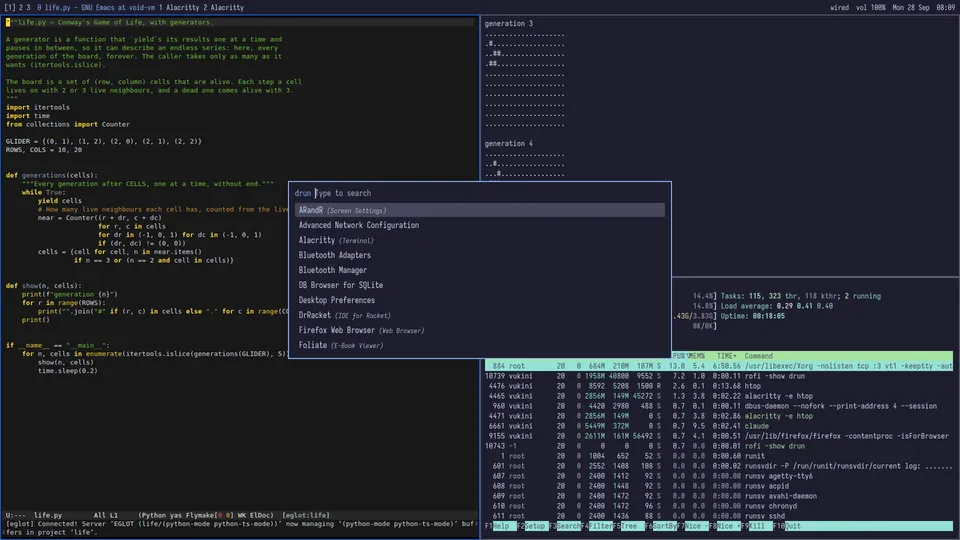
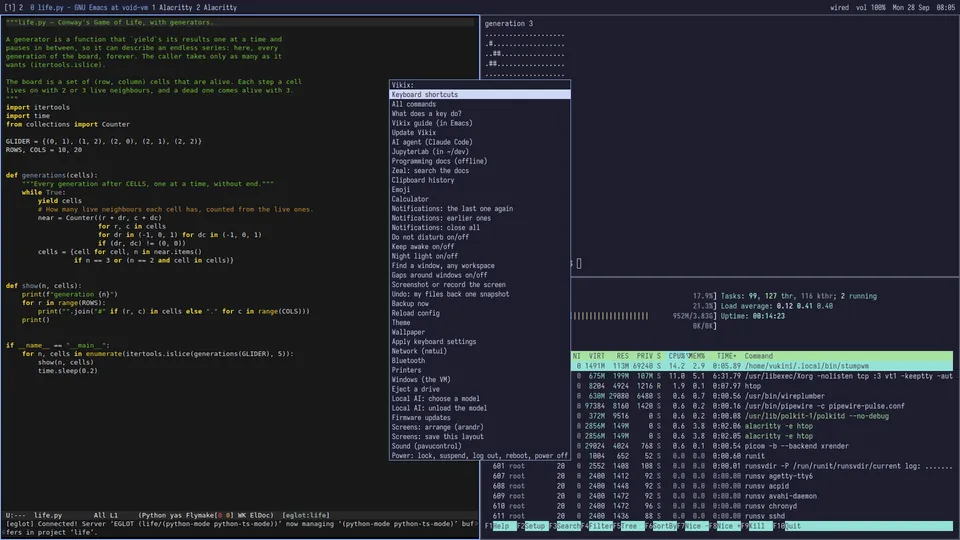
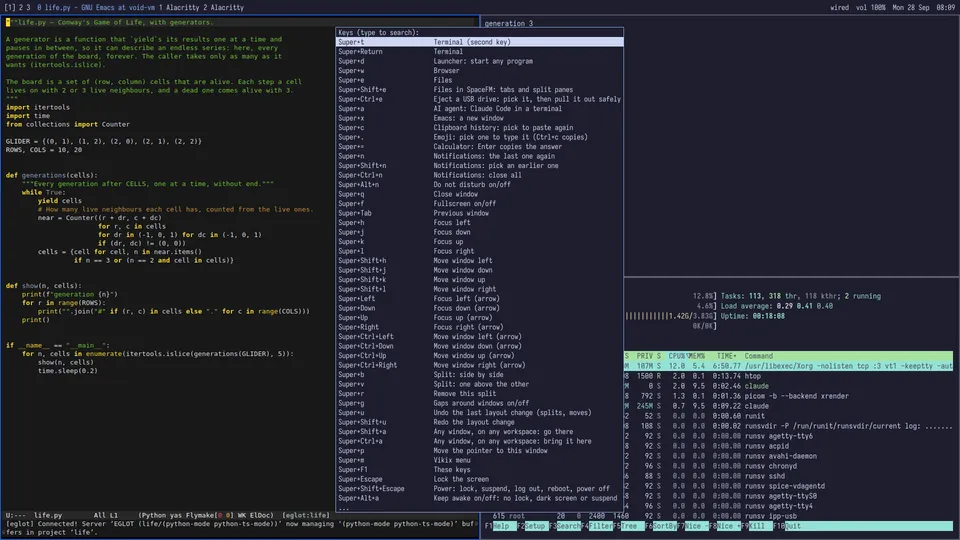
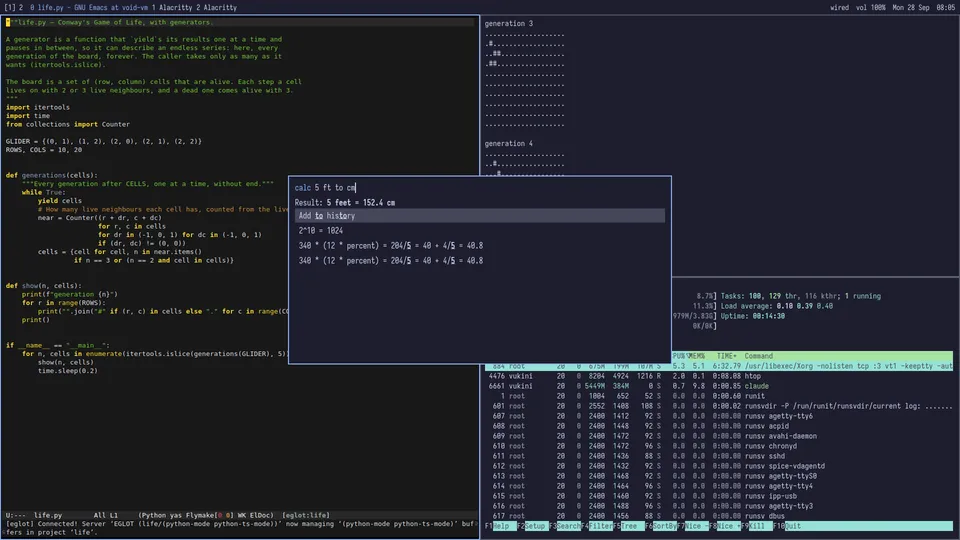
Plus emoji by name (Super+.), notifications in the theme’s colours (Super+n), themes such as Nord, Gruvbox and Tokyo Night, and vikix doctor to check everything is in place. For the programs that only run on Windows, there’s even an optional feature that runs Windows 11 in a window that tiles like any other.
Screenshots are from the vikix.dev gallery; Vikix is MIT-licensed.
How to try it
You need a glibc Void Linux install, logged in as your normal user (not root). A fresh Void has no curl or git, so the install is fetched with xbps-fetch, which comes with xbps:
xbps-fetch -o vikix-install https://vikix.dev/install
bash vikix-install
sudo reboot
Where curl is there, curl -fsSL https://vikix.dev/install | bash does the same. The script is short enough to read first: it checks this is glibc Void and that you’re not root, installs git if missing, clones Vikix into ~/vikix and runs install.sh. If you’d rather see first:
git clone https://github.com/vukini/vikix.git ~/vikix
cd ~/vikix
./install.sh --dry-run      # read what it would do
./install.sh                # do it
sudo reboot
It asks for your password once, then runs by itself. Log in on tty1 and the desktop starts with a welcome: add software, the keys that matter, a theme, your keyboard layout, the guide. Then add what you want:
vikix features              # what there is
vikix add essentials        # Emacs, and C, Python and Lisp
vikix add everything        # every editor and language, LibreOffice, printing (a few GB)
On a blank computer, Vikix’s install stick puts on Void and Vikix together after a few questions. New to Void? The repo has a screen-by-screen guide to Void’s installer, and a VM (VirtualBox, or KVM/QEMU) is the safe place to try each version; the guest tools are installed automatically.
Where it is now
Vikix is a small, actively developed project, built by one person: me. As I write, it is at version 0.72.148, with commits landing every day; the latest round is about the Office. Expect a learning curve, a keyboard-focused workflow and some time in the terminal. A cloud-based version is something I’m working towards, but today Vikix is a desktop you install and run on your own computer.
If you build things independently and want to work with AI while deepening your own understanding, it’s made with you in mind.
Get started at vikix.dev → · Star or fork vukini/vikix on GitHub →
Related pages
- Emacs on Vikix & StumpWM: where the editor and the window manager meet
- My Emacs Config Tour: the emacs-void config Vikix installs
- Common Lisp: the language StumpWM is written in
- The Linux Process Manager
- i3: another tiling window manager, for comparison
- Linux tools